By Openshaw Real Estate Group
Remote and hybrid work has permanently changed what buyers look for in a home. A dedicated home office is now consistently among the most requested features in the East Valley market — and for homeowners who already have one, how that space is designed directly affects how productive and sustainable daily work from home actually is. Whether you're setting up a home office from scratch in a Gilbert or Chandler home, or improving one that exists but isn't working, these are the design decisions that matter most.
Key Takeaways
- A dedicated, physically separate workspace is the single most important design factor for remote workers — spaces that double as bedrooms, living rooms, or dining rooms compromise both work performance and home life
- Ergonomics (chair, desk height, monitor position) and lighting are the two areas where small investments deliver the most meaningful improvement to daily comfort and productivity
- In Arizona, managing natural light is a unique challenge — abundant sunlight is an asset but requires strategic placement and window treatments to avoid glare and screen washout
- A well-designed home office adds real value at resale in the East Valley market, particularly in homes where the space is purpose-built rather than converted from a closet or hallway nook
Start With Dedicated Space
The most impactful home office design decision isn't a desk or a chair — it's location. Working from a shared space consistently undermines focus and makes it genuinely difficult to mentally separate work from home. When the workspace has a door, the mental transition in and out of work mode becomes much easier.
How to think about home office location:
- A dedicated room with a door is the gold standard — it gives you the ability to control sound, limit interruptions, and signal to others in the household that you're working
- If a full room isn't available, define a clear physical boundary using furniture placement, a partition, or a bookcase — visual separation matters even when physical separation isn't complete
- In East Valley homes with open floor plans, positioning a workspace in a secondary bedroom or off a hallway tends to work better than carving space out of the main living area
- Natural light from a north-facing window is ideal in Arizona — you get consistent, even light without direct sun hitting your screen during the day. East-facing windows work well for morning workers; west-facing windows create afternoon glare management challenges
- Sound matters almost as much as light — proximity to the garage, street, or HVAC returns affects call quality and focus more than most people anticipate when choosing a room
Get the Ergonomics Right First
Before you spend anything on aesthetics, get the ergonomics right. Poor ergonomics is one of the most consistent sources of lost productivity in home offices — back pain, neck strain, wrist fatigue, and eye strain compound quietly over months until they're hard to ignore.
The ergonomic essentials:
- Chair: Invest more here than anywhere else in the office. A chair with adjustable lumbar support, seat height, and armrests that keeps your hips at or slightly above knee height is the foundation of sustainable desk work. A $300 ergonomic chair will pay for itself in comfort within weeks of daily use
- Desk height: Your desk should place your forearms parallel to the floor when your hands are on the keyboard — this is the position that minimizes wrist and shoulder strain. Standard desk heights (30 inches) work for many people but aren't universal
- Standing desk: Research consistently shows that alternating between sitting and standing reduces back pain and fatigue during long work sessions. An adjustable standing desk or a converter that sits on your existing desk is worth the investment if you spend more than five hours a day at a desk
- Monitor position: The top of your monitor screen should be at or slightly below eye level, with the screen about an arm's length away. A monitor arm or adjustable stand makes this easy to dial in and frees up desk surface in the process
- Keyboard and mouse: A separate keyboard and mouse with a laptop (rather than using the laptop keyboard directly) allows you to position the screen at eye level without compromising wrist angle
Lighting: The Most Impactful Low-Cost Upgrade
Lighting is one of those design factors that's invisible when it's right and impossible to ignore when it's wrong. Poor home office lighting causes eye strain, headaches, and fatigue — all of which compound through a long workday in ways that feel like general tiredness rather than a solvable problem.
How to build a proper home office lighting setup:
- Ambient lighting provides the base level of even, diffuse illumination in the room — the goal is consistent brightness across the whole space without shadows or stark contrast between the bright screen and a dark room
- Task lighting focuses on your actual work surface — an adjustable desk lamp with a warm-to-neutral light temperature (2700K–4000K) aimed at your keyboard and documents without hitting your screen directly
- Bias lighting — a soft light behind your monitor — reduces the contrast between the bright screen and the darker wall behind it, which significantly reduces eye strain during long screen sessions
- Natural light management: In Arizona homes, abundant sunlight is an asset but requires management. Position your desk perpendicular to windows rather than directly facing them (which creates glare) or with your back to them (which backlights your face on video calls). Semi-translucent cellular shades or solar shades diffuse harsh sunlight while maintaining the light quality
- Warm-toned bulbs in the 2700K–3000K range are more comfortable for extended work sessions than the cool-white LEDs that builder-grade recessed lighting often uses — swapping bulbs is a $20 fix with a meaningful daily impact
Technology and Connectivity
A home office is only as functional as its tech infrastructure. This is one area where cutting corners creates daily friction that adds up significantly over time.
Technology essentials for a productive home office:
- Internet connection: If your home office relies on WiFi, make sure the router or a mesh node is close enough to maintain a strong, consistent signal — a wired Ethernet connection from the router to your desk is the most reliable solution for video calls and large file transfers
- Second monitor: For most knowledge workers, a second monitor is the single highest-productivity tech investment available. It eliminates constant window switching and allows reference and working documents to coexist visibly
- Noise-canceling headphones: In any household with other people, pets, or ambient noise, quality noise-canceling headphones protect both your focus and the audio quality of your calls for everyone on the other end
- Proper camera position: For video calls, a webcam or laptop camera should be at eye level — looking up into a camera creates an unflattering angle and signals to everyone on the call that your setup isn't professional. A laptop stand or monitor arm that positions the camera at face height is a simple fix
- Dedicated power: If your office runs multiple monitors, a desktop, and audio equipment, confirm you're not sharing a circuit with other high-draw appliances — tripped breakers during a call are avoidable
Storage and Organization
A workspace that accumulates clutter accumulates mental friction. The most productive home offices build storage into the room's design so that surfaces stay clear.
Storage approaches that work:
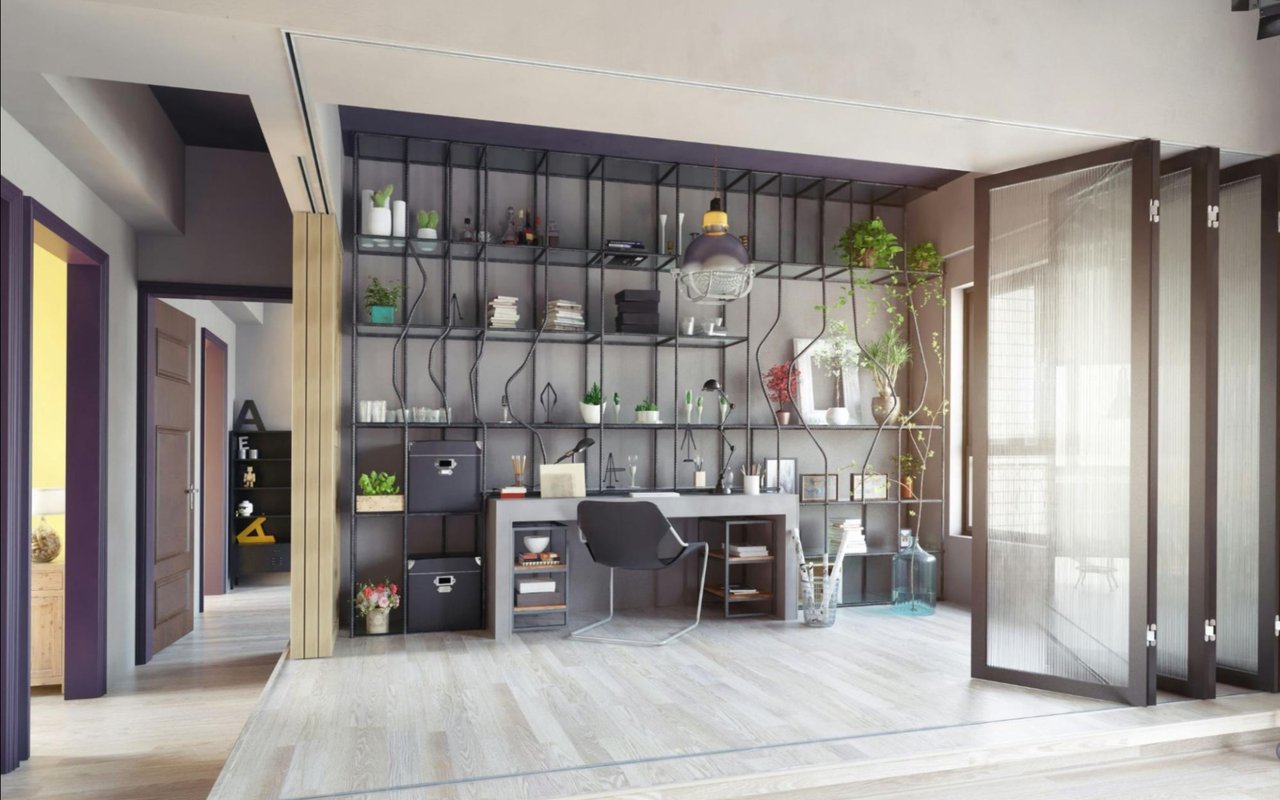
- Built-in shelving or a bookcase wall creates substantial storage while giving the room a purposeful, designed feel — this is one of the improvements that adds visible value at resale
- A filing cabinet or lateral file with a closed front keeps documents organized and out of sight
- Cable management — a cable box, wire clips along the desk edge, or a cable raceway along the wall — is worth the 30 minutes it takes and makes the room look significantly more intentional
- Floating shelves above the desk keep reference materials accessible without consuming desk surface
- A closed storage cabinet for office supplies prevents the desk from becoming a dumping ground
Home Office Value in the East Valley Market
A well-designed home office consistently shows up as a differentiating feature in East Valley listings, particularly in the $450,000–$700,000 price range where many buyers are in professional roles that allow remote or hybrid work. The key distinction is between a room that clearly functions as an office — with built-in storage, proper lighting, and a purposeful layout — and a room that's been described as an office but reads as a guest room with a desk in it.
If you're preparing to sell, staging your home office to look like a functional workspace rather than storage overflow tends to resonate with a significant share of today's buyers.
FAQ
Does a dedicated home office add value to a home in Gilbert or the East Valley?
Yes, particularly in the current market. Remote and hybrid work has made dedicated home office space a priority for many buyers, and homes that clearly have a functional, well-designed workspace — rather than just a room that could theoretically be used as one — tend to generate stronger buyer interest in the East Valley's mid-range and move-up price segments.
How much should I expect to spend to set up a functional home office?
A functional, ergonomically sound home office can be set up for $1,500–$3,000, covering a quality chair, an adjustable desk, monitor stand or arm, a second monitor, proper lighting, and basic storage. Spending more on built-ins, standing desks, or higher-end tech is worth it for people who use the space daily. The chair and desk are the two areas where spending more consistently pays off.
What's the biggest home office design mistake people make?
Treating lighting as an afterthought. Most people set up a desk, get a chair, and plug in a monitor before ever thinking about the light in the room. Working in inadequate or poorly positioned light for eight hours a day creates cumulative fatigue that masquerades as general tiredness — fixing the lighting is usually the fastest improvement available.
Find Your Home in Gilbert With Openshaw Real Estate Group
We work with buyers across the East Valley who have specific workspace requirements, and we help sellers present their homes in ways that speak to today's remote and hybrid workforce. At Openshaw Real Estate Group, we know the Gilbert, Queen Creek, Chandler, and Mesa markets well. Reach out to us to learn more about how we help buyers find the right home for how they live and work in the East Valley and let's talk about what you're looking for.